
Google Warns Against Fake Author Names: Show Real People Behind Your Blog Posts

If your blog posts carry a made-up author name or an AI-generated face, Google now says so in black and white: fake author names are a problem. Google added a short warning to its guidance on helpful content, and it is worth five minutes of your attention if anyone on your team publishes under a name that does not belong to a real writer. For businesses rebuilding their content, our web development and content team can help set up proper author pages.
What Did Google Say About Author Names?
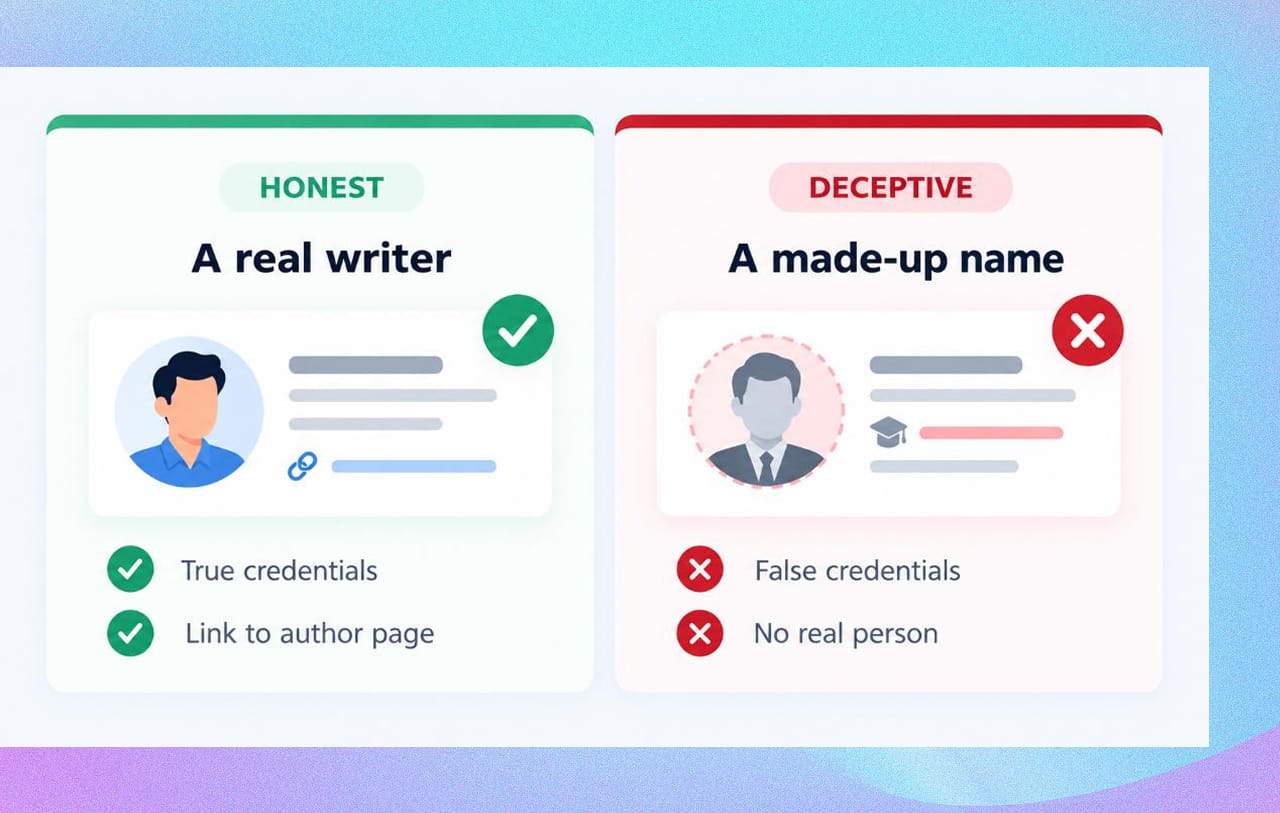
The guidance now says to avoid using deceptive authorship information. It also gives examples of what that means. On Google’s own page, the examples are:
- Fabricating creator profiles
- Using AI-generated headshots
- Using made-up names
- Using false credentials
And it explains why: “Any form of deception makes a page untrustworthy to both users and our automated quality systems.”
In plain words, if you invent a “Dr. Priya Sharma, 15 years of experience” to make a blog post look more expert, Google considers that deceptive.
Is This a Penalty?
Be careful here. Google did not say “we will penalise your site.” Search Engine Land notes that this is the writer’s reading: Google may judge a site’s overall quality as low because of fake bylines, but Google’s text does not say that directly, and no specific ranking penalty or enforcement action was announced.
What Google did say is that deception makes a page untrustworthy to “our automated quality systems”. That is reason enough to clean it up. A trust signal that is false is worse than having none.
What Google Wants Instead
The same page encourages the honest version. Google says it “strongly encourages adding accurate authorship information, such as bylines to content where readers might expect it.” It also suggests asking:
- Do pages carry a byline where one might be expected?
- Do bylines lead to more information about the author, such as an author page or an About page?
Google also describes three questions to answer about your content:
- Who created it? “Something that helps people intuitively understand the E-E-A-T of content is when it’s clear who created it.”
- How was it produced? It is helpful to readers to know how a piece of content was made.
- Why was it created? Google calls this “perhaps the most important question”.
(E-E-A-T stands for experience, expertise, authoritativeness and trustworthiness, the qualities Google looks for in good content.)
A Simple Fix: Your Author-Info Checklist
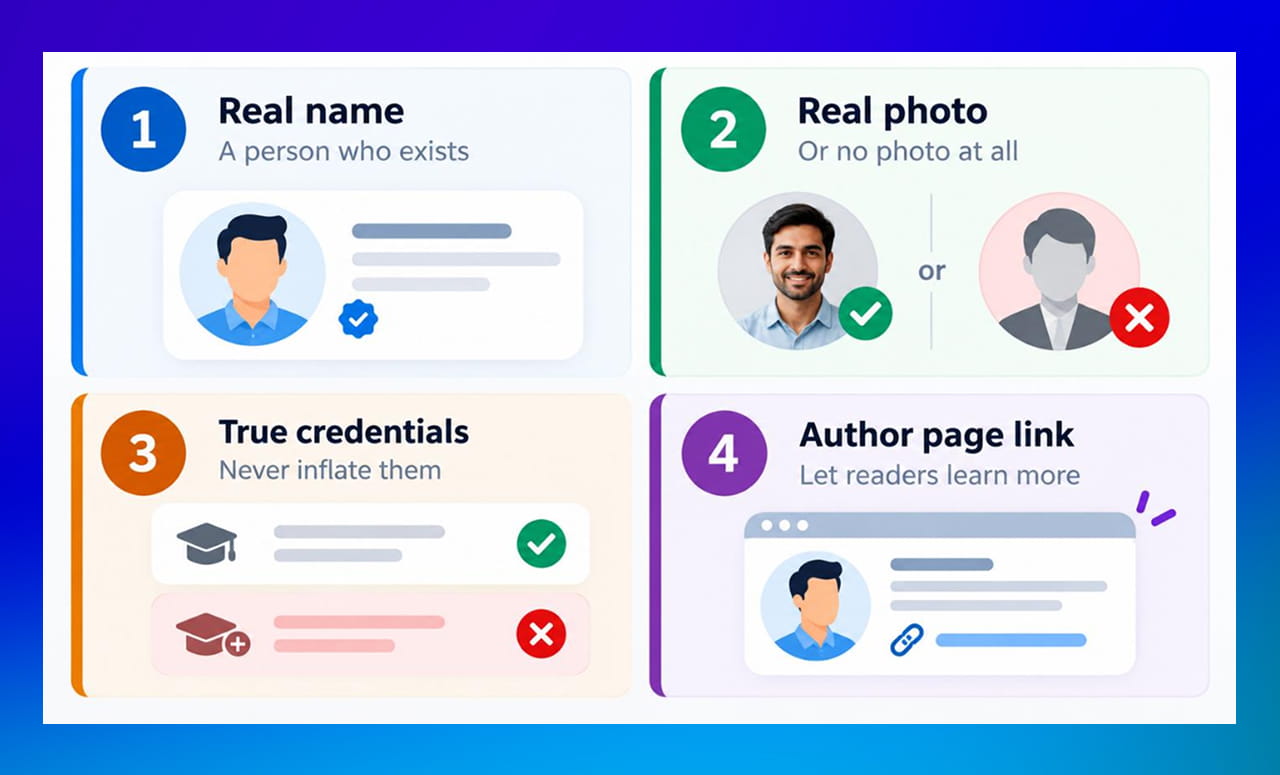
- Use a real name. The person should actually exist and have written or reviewed the piece.
- Use a real photo. If you do not have one, leave the photo out instead of using an AI face.
- State only true credentials. If someone has five years of experience, say five. Do not inflate it.
- Link to an author page. Give readers a place to learn more about the person, as Google suggests.
What If a Team Writes Everything?
Many businesses do not have one star writer. That is fine. The rule is not “have a famous author”; it is “do not pretend”. A few honest options:
- Name the real writer and the real reviewer, such as the subject expert who checked the facts.
- If your team contributes, be truthful about who wrote and who reviewed.
- If AI helped draft a post, a person should still check it, as Google’s separate guidance says, and you can explain how the content was made. Google specifically suggests sharing context on how automation was used.
Check Your Site This Week
- Open your blog and look at the author names. Can you point to each real person?
- Search the photos. Are any generated by AI?
- Look at author bios for claims you cannot prove.
- If you find fake profiles, replace them with real people, or remove the author box.
- If you used a freelancer under a pen name, talk to them about using their real name and a short, honest bio.
Quick Takeaways
- Google’s helpful content guidance now says to avoid deceptive authorship information.
- Invented names, AI-generated headshots and false credentials are the examples it gives.
- Google says deception makes a page untrustworthy to users and its automated quality systems.
- Google did not announce a specific penalty, so treat this as a trust and quality risk.
- Use real names, real photos, true credentials and an author page.
Need Help Setting Up Honest Author Pages?
We can audit your blog, build real author pages and set up a process so every post carries accurate information. Contact us through our form and we will help. A clear, trustworthy website design makes those pages easy for readers to find.


 +91 8277203000
