
How to Audit Your Website Like a Customer (Not a Business Owner)

A website user experience audit helps businesses evaluate their websites from a visitor’s perspective rather than an internal one. By reviewing navigation, page speed, messaging, mobile usability, trust signals, and conversion paths, businesses can uncover friction points that prevent customers from engaging or completing enquiries.
Most business owners audit their own website the way a proud parent looks at a school photo — with too much context and not nearly enough distance.
You know what every page means. You know the backstory behind the pricing, the reasoning behind the navigation, and the effort that went into the About page. A first-time visitor knows none of that. They arrive with no context, no patience, and no obligation to figure out your site — and they’ll decide within seconds whether it’s worth their time.
Auditing your website like a customer means temporarily forgetting what you know about your own business and evaluating the site the way a stranger would: skeptical, distracted, and one bad experience away from leaving. Here’s how to actually do that, step by step, with the data to back up why each step matters.
Step 1: Judge the First Five Seconds Like a Stranger Would
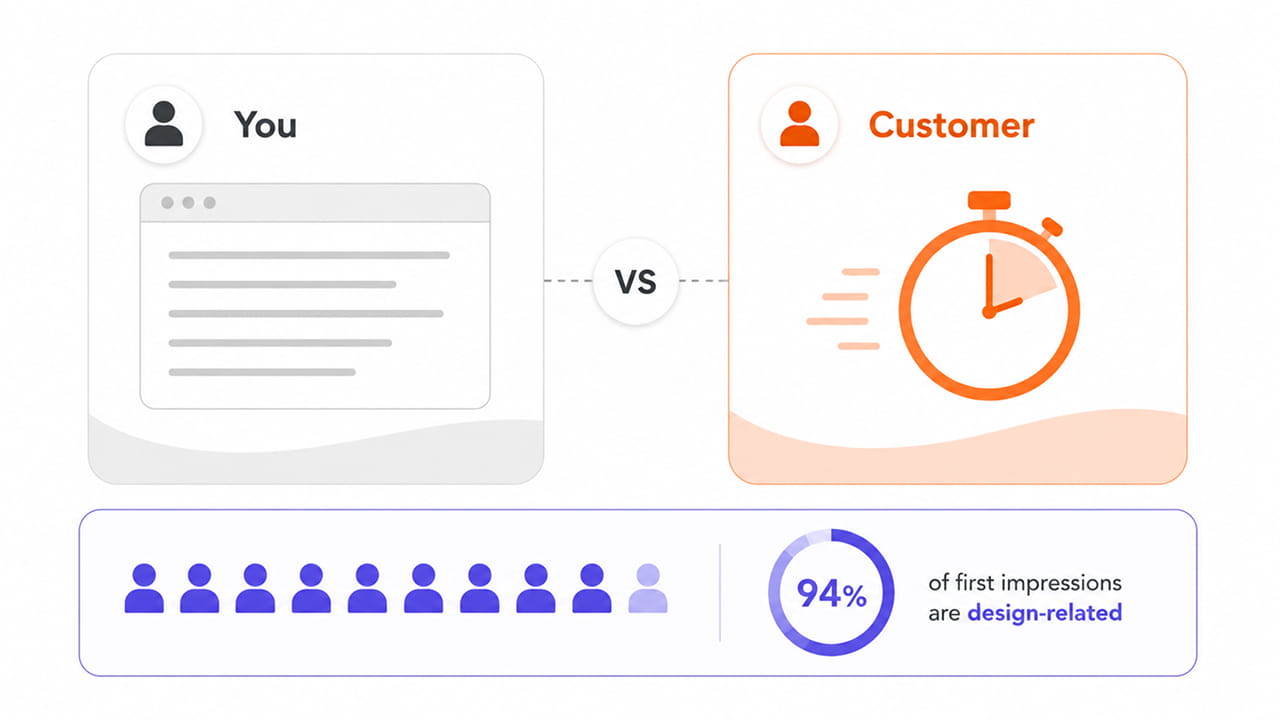
Close every tab, open your homepage as if you’d never seen it, and time yourself. What do you notice first? Is it obvious within five seconds what the business does and who it’s for?
This matters more than most business owners assume. Research widely cited across web design studies puts the share of a visitor’s first impression that comes from visual design alone at roughly 94 percent, with a separate Stanford-affiliated study finding that a majority of users judge a company’s credibility largely by how its website looks, before they’ve read a single word of copy.
A business owner sees the finished product and feels satisfied. A customer sees a stranger’s storefront and decides, almost instantly, whether it looks credible enough to explore further. If you have to talk yourself into liking your own homepage, a first-time visitor won’t get that far.
This is exactly why layout, typography, spacing, and visual hierarchy deserve as much attention as the words on the page. Businesses that invest in professional website design services are, in effect, investing in those first five seconds — because that’s often all the time they get.
Step 2: Time How Long It Takes to Load, Not Just How It Looks
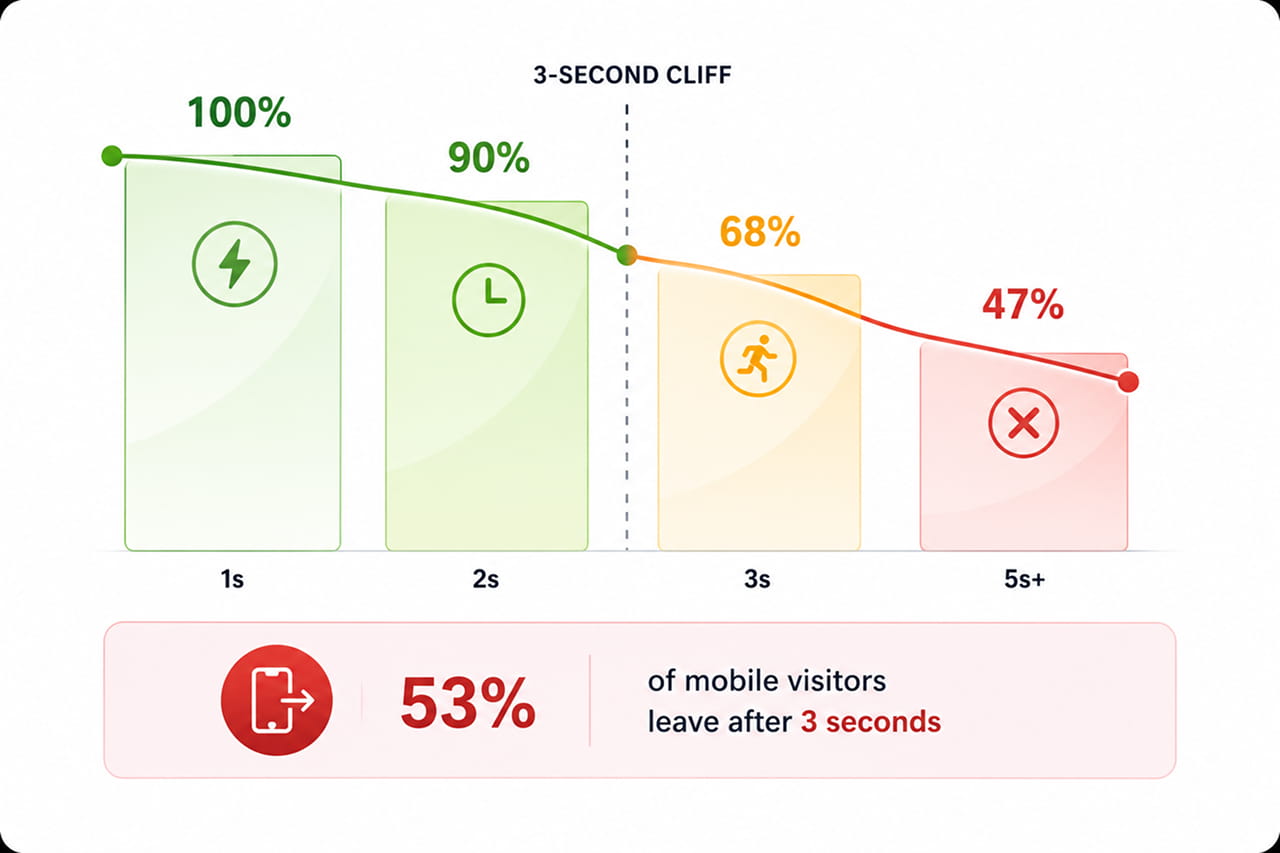
Open your site on a mobile connection, not office Wi-Fi, and actually count the seconds until it’s usable. Most business owners test their own site on fast networks and fast devices, which hides the exact problem their customers are experiencing.
Google’s own research on mobile behaviour, published through Think with Google, found that as load time increases from one second to three seconds, the probability of a mobile visitor bouncing rises by 32 percent. A separate Google and SOASTA study found that 53 percent of mobile visitors abandon a page that takes longer than three seconds to load.
That’s not a technical detail buried in a developer’s report — it’s a customer closing the tab before they’ve even seen what you offer. If your homepage feels sluggish on a phone with average signal, assume a real customer already left. This is where solid website development services pay for themselves: clean code, optimized images, and efficient hosting are what stand between a visitor and that three-second cutoff.
Step 3: Actually Fill Out Your Own Enquiry or Checkout Form
Business owners rarely fill out their own forms. Do it now, on a phone, without skipping a single field. Count how many fields you’re asked to complete, how many times you have to correct an error, and how many steps stand between “interested” and “submitted.”
This step alone explains a significant share of lost business. The Baymard Institute’s ongoing research puts average cart and checkout abandonment at roughly 70 percent across dozens of studies, and their usability testing consistently finds that most checkout and enquiry forms ask for far more fields than necessary — often two to three times the number a well-designed form would require.
A business owner who already trusts their own company will push through a clunky form out of familiarity. A customer with five other tabs open won’t. If a form frustrates you on the first try, it’s already cost you leads you never heard from.
Step 4: Look for the Proof a Stranger Would Look For
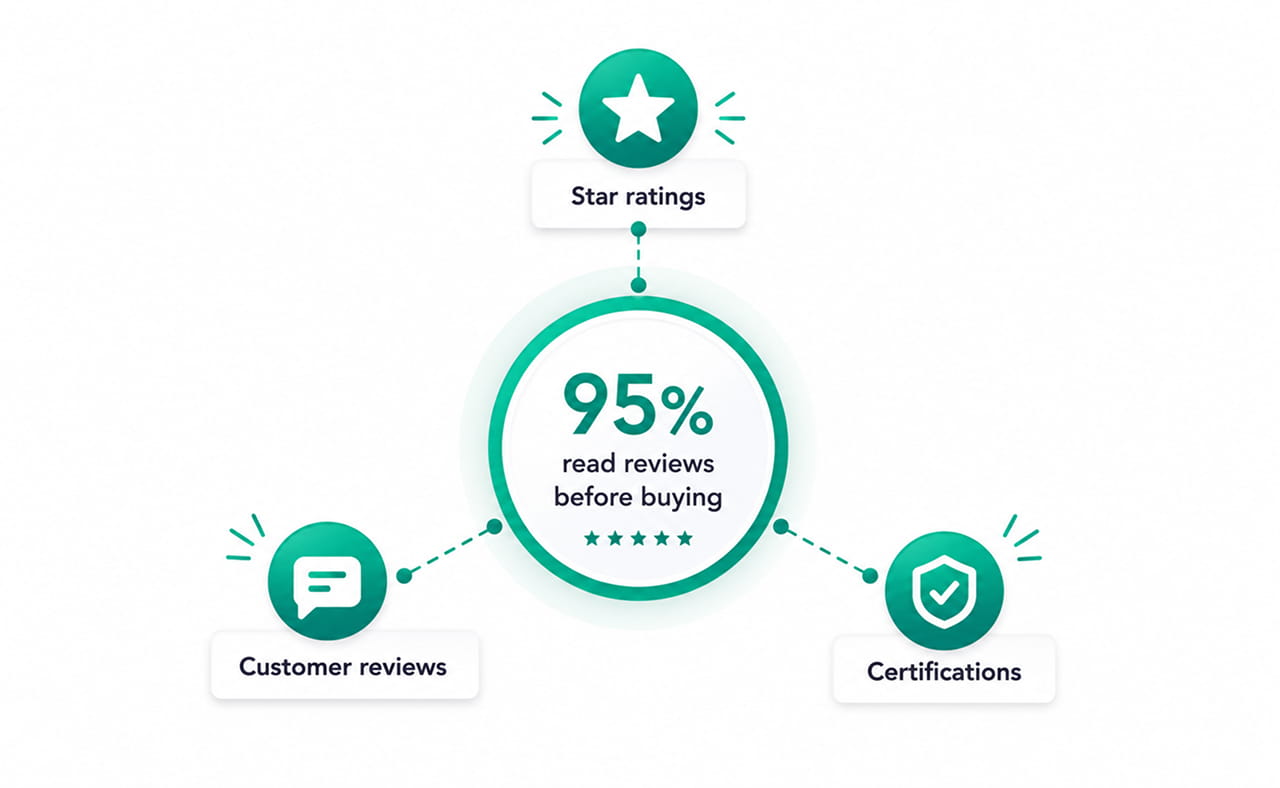
Before customers trust a business enough to hand over their details or their money, they go looking for evidence. Ask yourself honestly: if you knew nothing about this company, would this page convince you it’s legitimate?
Reviews carry more weight in that decision than most homepages give them credit for. Aggregated research on online review behaviour puts the share of consumers who read reviews before making a purchase decision between 93 and 97 percent, depending on the study — which means a page with no testimonials, no case studies, and no visible social proof is asking customers to trust it on faith alone.
Check whether testimonials, client logos, certifications, and case studies are easy to find or buried three clicks deep. A customer auditing your site won’t go looking for reassurance — if it isn’t visible, they’ll assume it doesn’t exist.
Step 5: Try to Find Yourself the Way a Customer Would
The final part of a customer-style audit happens before a visitor ever reaches your homepage. Open an incognito browser window and search for what you do, not your business name. Where do you actually rank? What comes up first — you, or three competitors?
Most business owners never run this test, because they navigate straight to their own site from memory or a bookmark. Customers don’t have that shortcut. They start with a search or a social feed, and if your business doesn’t show up in that first honest look, the rest of the audit doesn’t matter — a beautifully designed, fast-loading, easy-to-navigate site is worthless to a customer who never finds it. This is the piece of the puzzle that ongoing digital marketing services are built to solve — making sure the site a customer eventually lands on is one they could actually discover in the first place.
What Is a Website User Experience Audit? Auditing Is Only Useful If You Act Like a Stranger
None of these five steps require special tools or technical expertise — just a willingness to forget what you know and evaluate your site with a stranger’s patience, or lack of it. Run through them honestly, on a real phone, on a real connection, without the shortcuts that familiarity gives you.
If something frustrates you during the audit, it has almost certainly already frustrated a customer who never told you why they left.
Ready to see your website through a customer’s eyes but want a second pair of trained ones? Reach out through our contact form and we’ll walk through your site together — design, speed, forms, trust signals, and discoverability — and show you exactly where customers are quietly dropping off.

 +91 8277203000
