
Google Search Results Can Now Show a WhatsApp Button for Your Business
Imagine a customer searches for your shop on Google and, next to “Call” and “Directions”, sees a WhatsApp button. One tap and they are chatting with you. That is what some people have started seeing in Google’s local results, and it matters a lot in a country where WhatsApp is how many customers prefer to talk to businesses. If you want help getting your local presence ready, our digital marketing team can help.
Before you get excited, though, here is what is confirmed and what is not.
What Has Been Spotted
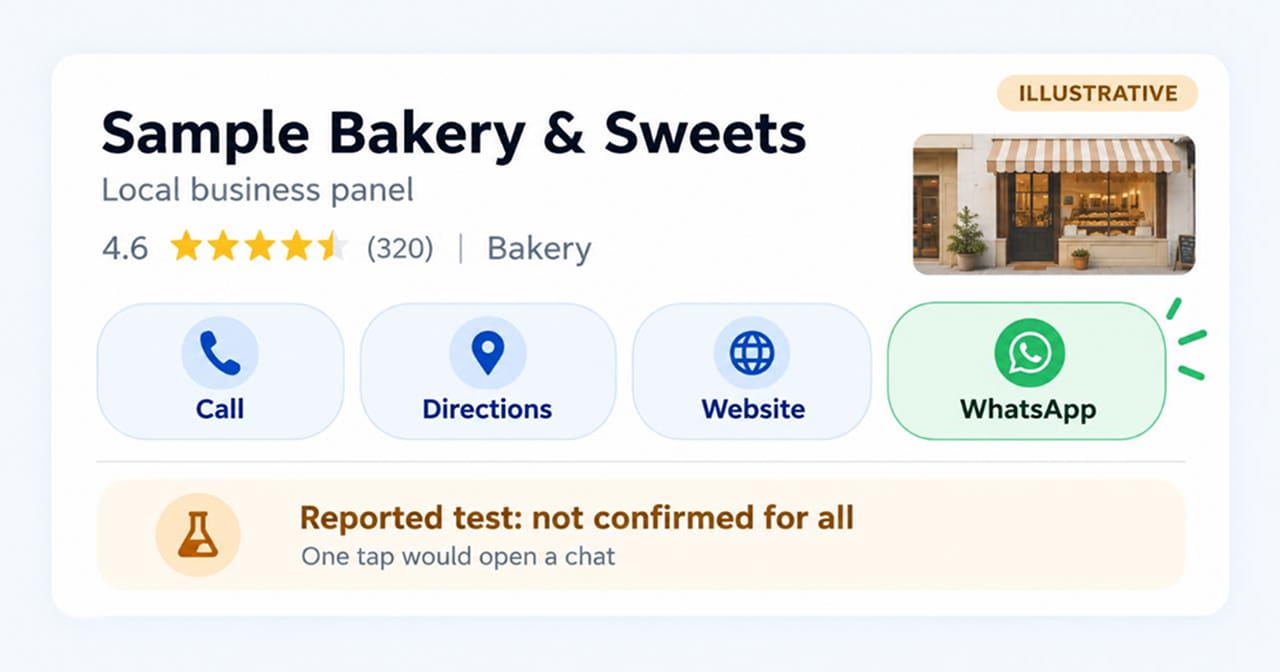
Search Engine Roundtable reported on October 7 that Google is showing a WhatsApp button in the local panel, the information box that appears when you search for a business. The button can sit alongside the usual buttons for call, directions, website and share, or replace the chat button.
It was first noticed by Sachin Patel, who wrote about it for Search Engine Watch. Barry Schwartz of Search Engine Roundtable said he could replicate it.
What Is Not Clear Yet
This is where we need to be careful, because the early reports leave several gaps:
- It looks like a test. Google has not announced it. Barry Schwartz’s own wording was that “it might be rolled out fully.”
- It is not stable. Sachin Patel wrote that he saw it once, and when he checked a day later he could not see the button again.
- No countries are named. Neither report says where it appears, so we cannot say whether people in India will see it.
- Eligibility is unknown. The reports do not say what a business needs to do to make the button appear.
- Only a few people have seen it. Patel said he could not find other reports at first, and he tested in a private browsing window, so he could not fully confirm how the button behaves.
So the honest summary is: Google appears to be testing a WhatsApp button in local results. It is worth preparing for, but do not promise your boss or client that it will show up tomorrow.
The Background: Google Has Been Adding WhatsApp Numbers
There is a related story that might affect you right now. As Search Engine Roundtable reported in June, Google appeared to add WhatsApp numbers automatically to many Google Business Profiles, in the “Chat” field as a WhatsApp link. Some of those numbers were wrong. One business owner found that Google used the practice’s main number, which was a landline that cannot receive WhatsApp messages.
At first owners could not delete those numbers. Google was reported to be fixing it as a bug, and by June 10 people reported being able to delete them and save the change.
If a button does appear on your listing, you want it to point to a number that works.
What to Do This Week
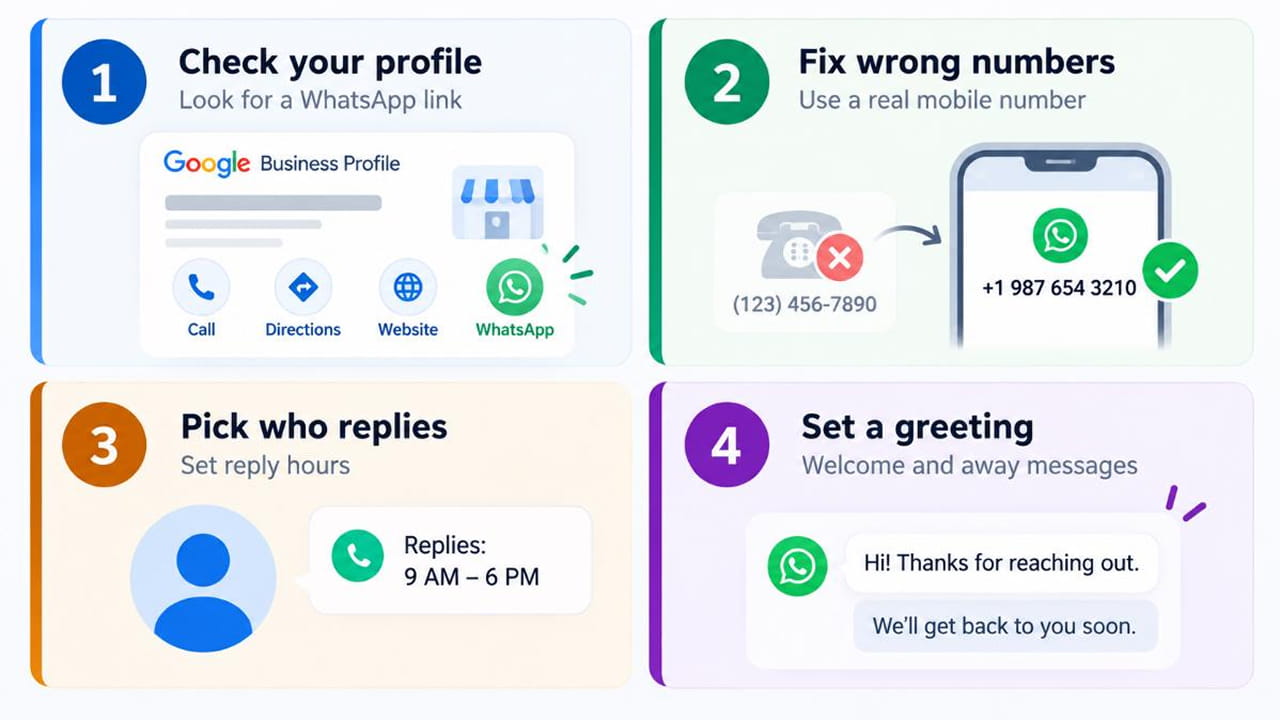
Four steps to prepare your Google Business Profile.
- Check your Google Business Profile. Look for a WhatsApp number or chat link you did not add yourself.
- Fix or remove wrong numbers. Do not leave a landline there. Use a mobile number that is actually on WhatsApp.
- Decide who replies. A WhatsApp button with no one answering is worse than no button. Choose a person and typical reply hours.
- Set up a greeting. If you use the WhatsApp Business app, you can set an automatic welcome message and an away message for after hours.
A Fair Warning About Staffing
Barry Schwartz pointed out the practical problem: not every business has the people to handle chats. He joked that he could not imagine a huge brand’s store having time to WhatsApp with each customer.
The same applies to smaller businesses. If your team already struggles to return phone calls, adding another channel will not help until you have a simple process. Start small: one person, set hours, and a short list of ready answers for common questions like prices, timings and location.
Why Your Website Still Matters
Even if the button comes to your area, it only starts the conversation. Customers will still check your website to decide whether to trust you. Make sure your website design is clear, that your phone number and WhatsApp number match everywhere, and that your address and hours are correct.
Quick Takeaways
- Google appears to be testing a WhatsApp button in local business results, but it is not confirmed as a launch.
- One reporter saw it disappear the next day, and no countries have been named.
- Google has also been adding WhatsApp numbers to Business Profiles, and some were wrong.
- Check your profile now, remove wrong numbers and plan who will reply.
- Do not promise the button to anyone until Google confirms it.
Want Your Business Profile Ready for Chat?
If you want help checking your Google Business Profile, cleaning up your contact details and setting up a simple customer-chat routine, get in touch through our contact form and we will get in touch with you.

 +91 8277203000
