
Google May Be Showing Your Business Updates (Google Posts) Higher in Search: How to Use Them
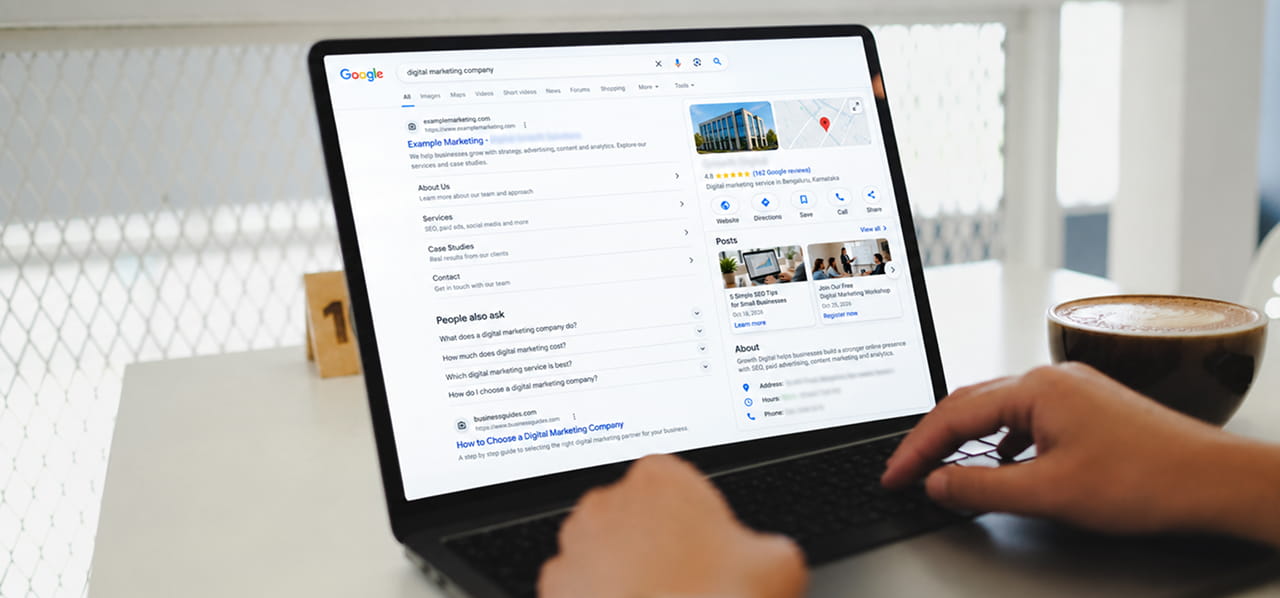
If you have ever posted an update on your Google Business Profile and wondered whether anyone sees it, here is some good news. Local search specialists have noticed that Google Posts may be showing higher up on business listings. It looks like a test, not an official launch, but it is a good reason to take another look at a feature many businesses ignore. If you want help making your local presence work harder, our digital marketing team can help you plan it.
Here is what has been seen, what it does and does not mean, and how to make your posts worth reading.
First, What Are Google Posts?
Google Posts are short updates you add to your Business Profile, the listing that appears when someone searches for your business name on Google Search or Maps. You can share news, an offer or an event, with a photo and a button. Think of it as a small notice board on your listing.
If you need the basics, Google explains the steps in its help page on creating and managing posts.
What Has Changed?
For several years, Posts sat near the bottom of the information panel that appears beside a business in search results. Recently, local SEO specialist Ben Fisher reported that the Posts section looks to be testing a higher position, and a second local-search writer said they saw the same thing.
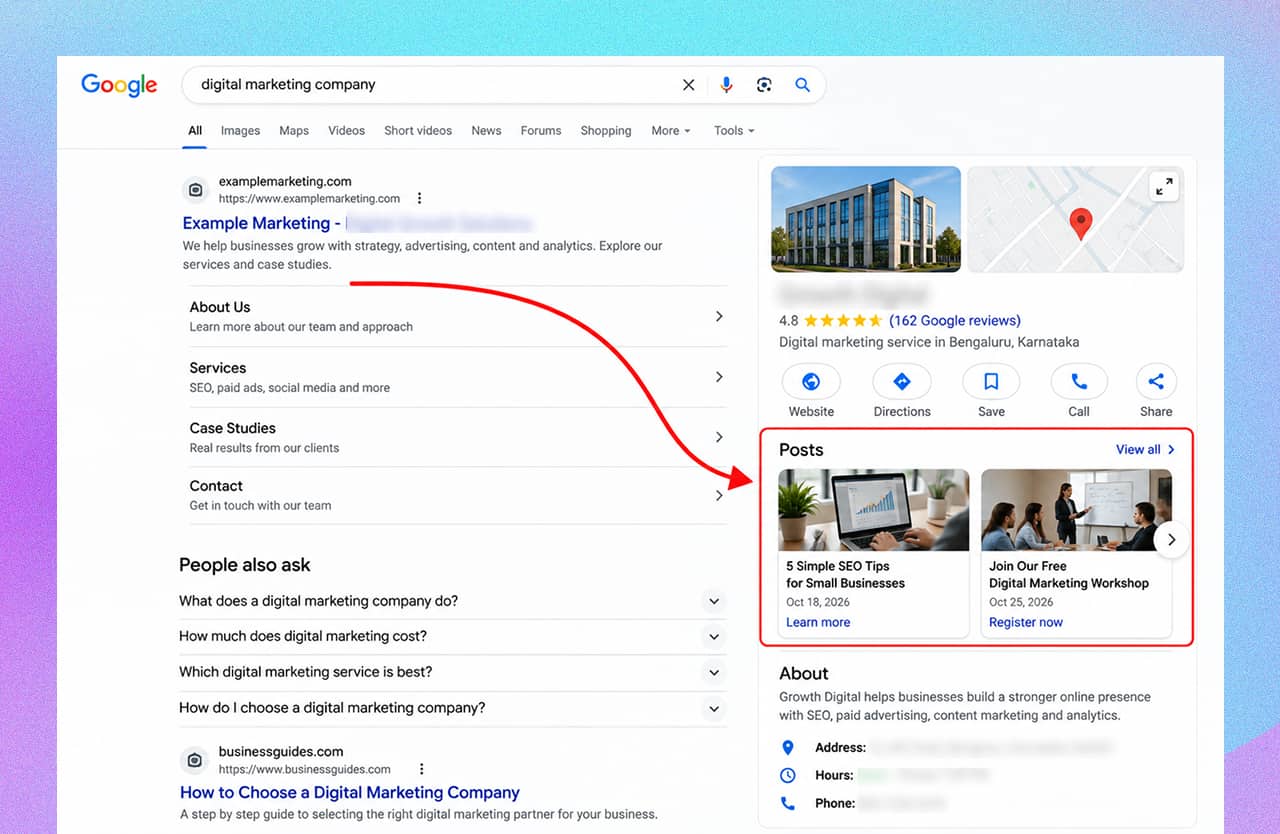
Illustrative mockup, not a real Google screen: Posts reported to be moving higher in the panel.
There are some important cautions:
- Google has not announced it. Everything so far comes from people watching their own screens.
- It does not appear stable. Fisher said he saw posts move up for a few days and then move back down again in a cycle.
- We do not know where or for whom. The reports do not say which countries or businesses are affected.
So the honest summary is: a test is being spotted, and it may come and go. Check your own listing instead of assuming.
Does Higher Mean Better Rankings?
No, and this is worth understanding. A post showing higher on your listing is different from your business ranking higher in the search results.
Respected local SEO agency Sterling Sky ran a small test in which three business listings published one post a week for nine weeks. They tracked 441 keywords per listing and found no measurable impact on local pack rankings. It was a tiny, short test, so it is not the final word. Their advice was to use posts to speak to customers and encourage action, not as a ranking trick.
That matches what posts are really good at: giving someone who is already looking at your business a reason to call, visit or book.
New: Google Is Showing View Counts on Posts Again
Here is a useful related change. In its September Small Business Bulletin, Google announced that it is showing post view counts again. According to that announcement:
- The count shows how many times local customers viewed a post.
- It covers posts published in the past 18 months.
- It applies to updates, offers and events.
- Search and Maps views are combined into one number.
- You find it on each post card in the Posts section of your dashboard.
The limits matter too. Views are not clicks or calls. Google has not explained exactly what counts as one view, and the numbers are not yet available through its reporting API (the tool that lets software pull data automatically).
How to Use Posts Well
If posts may be seen more often, make sure they are worth seeing.
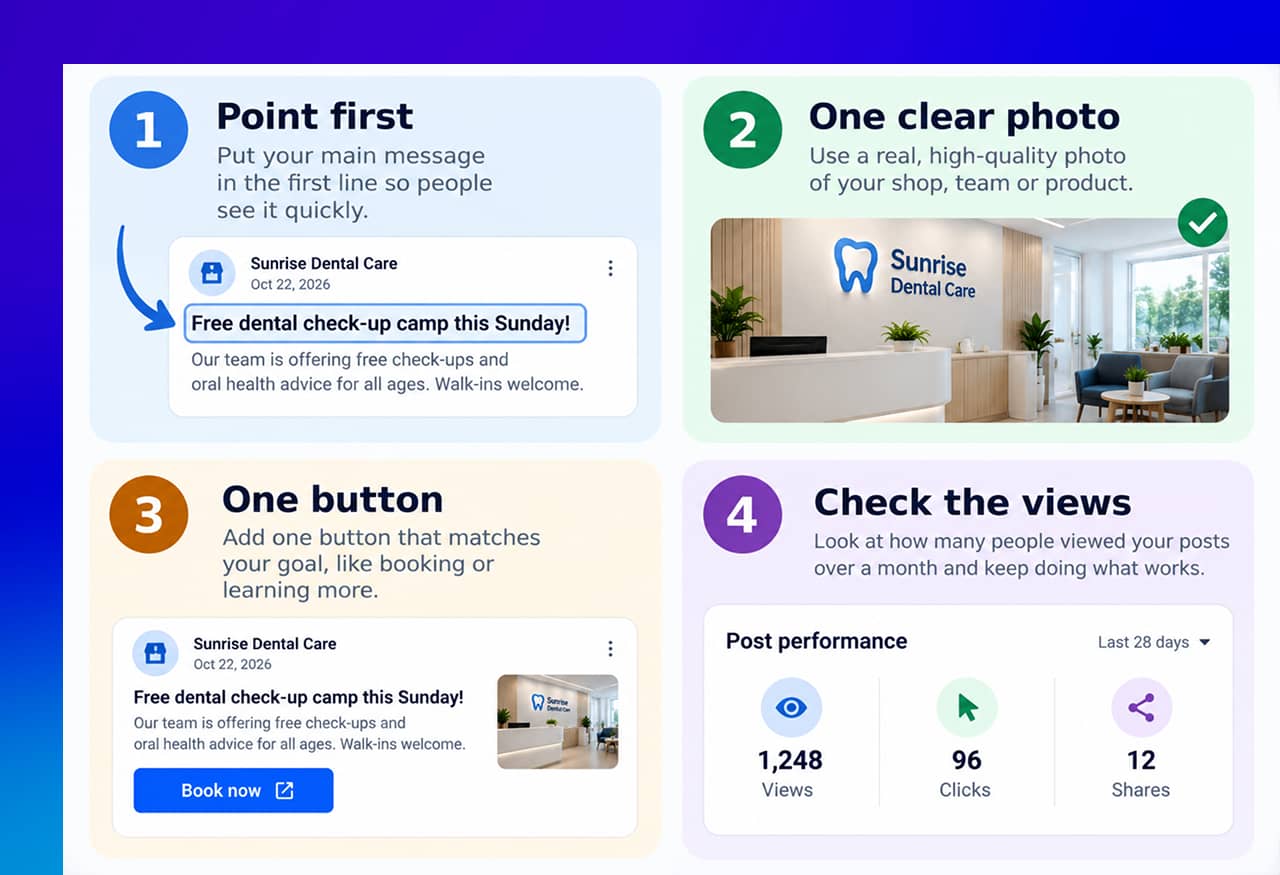
Four habits for posts that people actually read.
- Lead with the point. People glance at a panel quickly. Put the main message in the first line, such as “Free dental check-up camp this Sunday”.
- Use one clear photo. A real photo of your shop, team or product beats a blurry image.
- Add one button. Match it to the goal, such as booking or learning more. Google’s help page says buttons on updates should link to a site where customers can book, order online or learn more.
- Check the views. Compare posts over a month. Keep doing what gets more views.
Pick the Right Post Type
- Update for news, such as a new service or changed timings.
- Offer for deals. It needs a title and dates, and it automatically gets a “View Offer” button. Example: “Festival special: ₹500 off your first service until Sunday.”
- Event for something with a date and time, like a workshop.
Post Ideas That Work for Local Businesses
- A new product or service
- A seasonal or festival offer
- A short event announcement
- A photo of recent work or a happy customer (with permission)
- A change in timings or a holiday notice
Keep Your Posts Within the Rules
Posts are reviewed against Google’s content policy. A few things to remember:
- Unverified phone numbers, emails or social media handles in a post may get it removed. Use a Call now button instead.
- Link only to trusted websites.
- Regulated products such as alcohol and tobacco cannot be promoted in posts.
- Posts older than six months are archived unless you set a date range, so refresh them regularly.
A Realistic Routine
You do not need to post daily. Here is a simple plan, which is our suggestion and not a Google rule:
- Post once or twice a week, on fixed days.
- Keep each post to one idea.
- Once a month, check which posts got the most views and repeat that style.
- Delete or edit posts that are out of date.
- Make sure the page your button leads to is clear and works well on a phone. Good website design turns a click from your post into an enquiry.
If you do not see a Posts option, remember that only verified profiles can post. Labels also differ between screens, so look for “Posts” or an add-update option beside your business.
Quick Takeaways
- Specialists report that Google Posts may be showing higher on business listings, but this looks like an unannounced, unstable test.
- Higher placement on your listing does not mean a higher search ranking. A small agency test found no ranking effect from posting.
- Google has brought back view counts for posts, combining Search and Maps.
- Make posts short, clear and useful, with one photo and one button.
- Follow Google’s rules on phone numbers, links and regulated products.
Want Your Business Profile to Work Harder?
If you would like help planning posts, cleaning up your profile or tracking what works, reach out through our contact form and we will help you get started.


 +91 8277203000
