
Google’s Updated Advice for AI-Written Content: A Human Has to Check Every Word, Including Meta Tags

Using ChatGPT or another AI tool to write website content is now normal. But Google has just updated its official advice on AI-generated content, and the message is blunt: a real person must check it before it goes live. If your website design agency, freelancer or in-house team uses AI to write pages quickly, this update is worth five minutes of your time.
Here is what Google actually said, why the “meta tags” part matters, and a simple checklist you can use.
What Google Changed
Google updated its page called “Google Search’s guidance on using generative AI content on your website.” The page shows it was last updated on 1 October 2026, and Search Engine Land reported on the change. The key lines on Google’s own page read:
“Generative models don’t retrieve facts, but predict a likely sequence of words based on their training data. Because of this, generative AI outputs may contain inaccuracies (also known as hallucinations). It is critical to manually factcheck and review all AI-generated content for accuracy and trustworthiness before publishing.”
In simple words:
- Generative AI is the kind of tool that writes text for you.
- A hallucination is when the AI states something that sounds right but is false.
- Google says the AI does not look up facts. It guesses the next likely words, so mistakes are normal.
The Part Many People Will Miss: Meta Tags
Right after that warning, Google adds a second sentence that is easy to skip:
“This review also applies to metadata like title elements, meta description elements, structured data, and alternate texts for images, which can appear in Search results.”
Let us translate each one:
- Title element: the blue clickable headline in Google results.
- Meta description: the short grey summary under the headline.
- Structured data: hidden code that tells Google things like your price, ratings or opening hours.
- Alt text: the short description attached to an image, used by screen readers and image search.
These are small pieces of text, so people often let AI write them in bulk and publish without reading. But they are the exact words customers see before they ever reach your site.
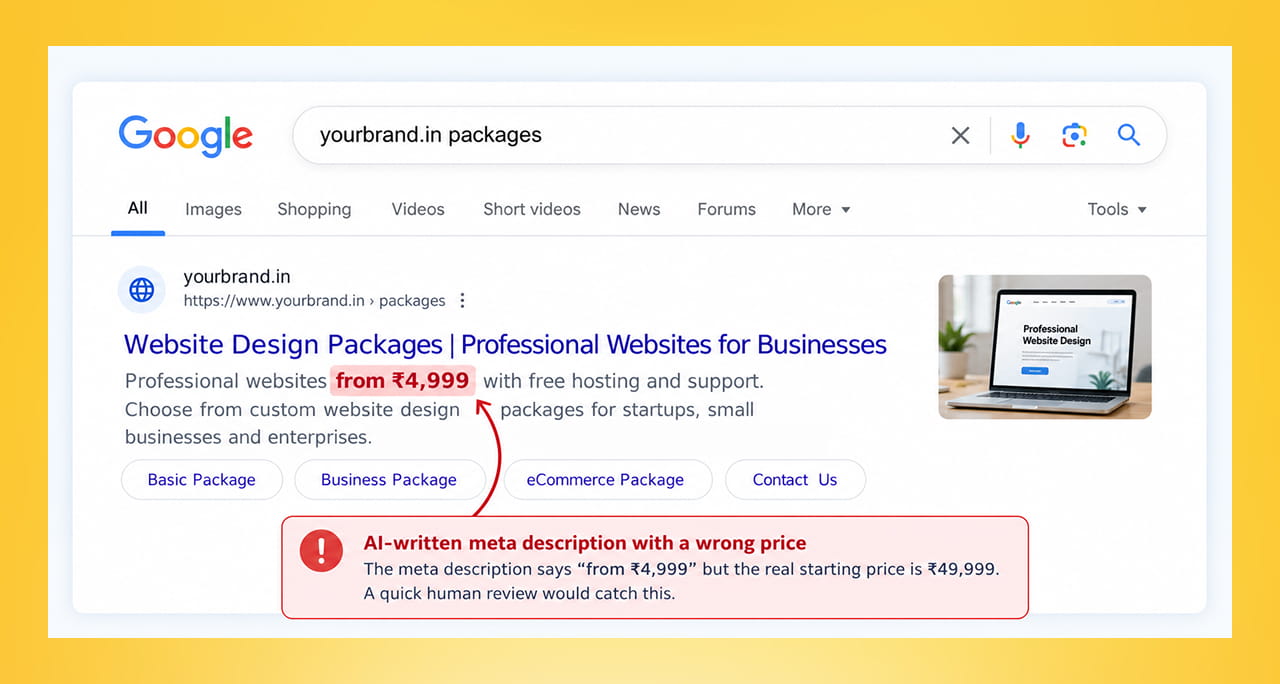
Imagine an AI-written meta description that says “Website packages from ₹4,999” when your real starting price is ₹49,999. That one missing digit is seen by every searcher, sets the wrong expectation and wastes your clicks. A human reading it for ten seconds would have caught it.
Is Google Banning AI Content?
No. Google’s page says generative AI “can be particularly useful when researching a topic, and to add structure to original content.” The problem is using AI to produce lots of pages “without adding value for users,” which Google says may break its spam policy on scaled content abuse. That is a fancy name for mass-producing low-value pages.
Search Engine Land also noted the timing: the update arrived around the same time as Google’s September 2026 spam update. That is the reporter’s observation, not something Google confirmed as the reason, so treat it as a hint rather than a fact.
“Give Users Context”: An Optional Extra
Google also suggests sharing how your content was made. For example, a short line explaining how automation was used can help readers trust you. For online shops, Google adds a stricter rule: AI-generated product images must carry special image metadata, and AI-written product titles and descriptions must be labelled separately as AI-generated in Google Merchant Center.
If you run an online store, check this with whoever manages your product feed.
A 5-Point Review Checklist
Before anything AI-written goes live, check these five things.
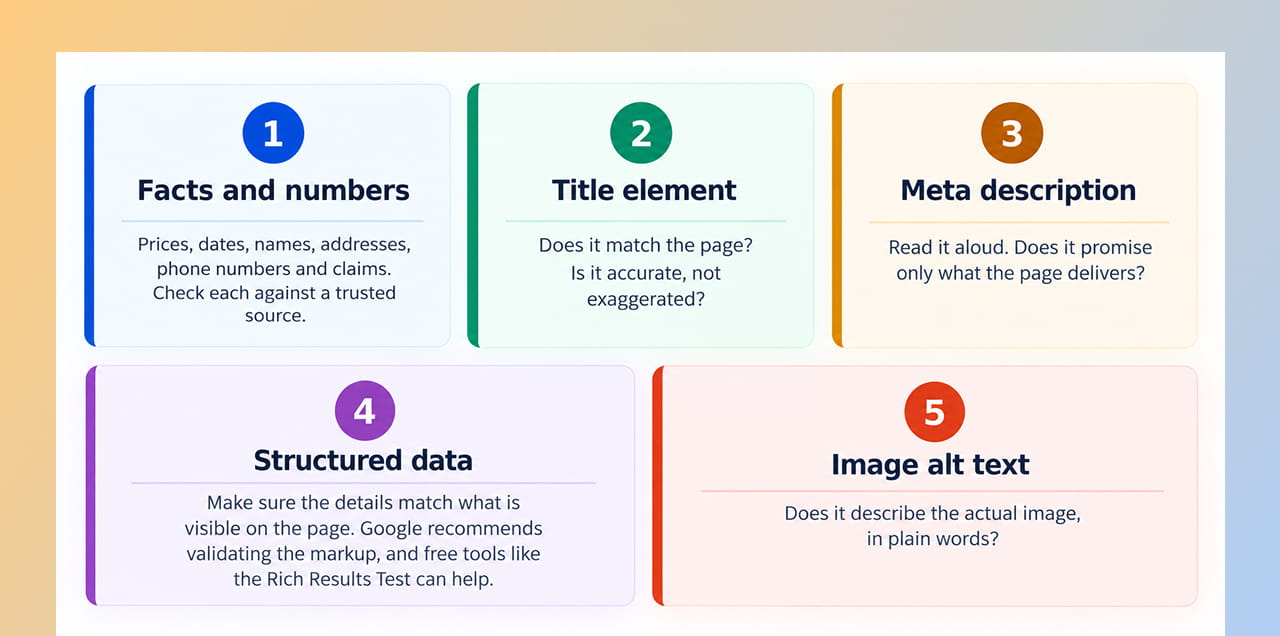
Five things a human should review on every page that used AI-generated content.
- Facts and numbers. Prices, dates, names, addresses, phone numbers and claims. Check each against a trusted source.
- Title element. Does it match the page? Is it accurate, not exaggerated?
- Meta description. Read it aloud. Does it promise only what the page delivers?
- Structured data. Make sure the details match what is visible on the page. Google recommends validating the markup, and free tools like the Rich Results Test can help.
- Image alt text. Does it describe the actual image, in plain words?
A small tip: ask one person to write and another to review. Fresh eyes catch more mistakes.
What This Means for Your Business
- If you use AI for blogs: keep doing it if it helps, but add a human editing step before publishing.
- If an agency writes for you: ask directly, “Who checks the AI output, and do they also check titles and meta descriptions?”
- If you have a big website: audit the pages first that show prices, health claims, legal claims or contact details. Errors there cost the most.
- If you are rebuilding your site: make sure your web development team includes content review in the launch checklist, not just design and code.
- If you run campaigns: your digital marketing reports will look better when the pages behind them are accurate and trustworthy.
Quick Takeaways
- Google’s guidance (updated 1 October 2026) says it is “critical to manually factcheck and review all AI-generated content” before publishing.
- The review also covers title elements, meta descriptions, structured data and image alt text.
- Google is not banning AI content, but warns against mass-producing pages with little value.
- A short human checklist catches the most expensive mistakes, like wrong prices.
Need a Hand Reviewing Your AI-Written Pages?
If your site has many AI-assisted pages and you are not sure they are accurate, we can audit them with you. Reach out through our contact form and we will help you set up a simple review process.


 +91 8277203000
