
How to Set Up Google Business Profile for Local SEO: A Step-by-Step Guide (2026 Edition)
If the last guide you read about Google Business Profile (GBP) mentioned postcard verification, a Q&A section, or a Chat button, it’s already out of date. Google has made some of the biggest changes to GBP in years throughout 2026 — a new mandatory business-classification step, video-first verification, a full review policy overhaul, and the outright removal of two features many local businesses used to rely on.
Google Business Profile setup is an important step for eligible local businesses that want to appear more effectively across Google Search and Google Maps. The process involves adding or claiming a profile, verifying the business, providing complete and accurate information, and maintaining the profile with relevant details, photos, and customer reviews. Google says complete and accurate Business Profile information can help businesses appear for relevant local searches.
What’s Changed in 2026 (Read This First)
- Video verification is now the default, not an option among several. Google now assigns roughly 8 out of 10 new business verifications to video, and as of July 2026, most small businesses are required to verify this way instead of by postcard.
- Business type classification now comes first, before verification even begins — and choosing the wrong option, particularly “online-only,” has been linked to suspensions and compliance issues down the line.
- Chat is gone. Google stopped new conversations from starting on July 15, 2026, and the feature fully shut down by July 31. Any profile still pointing customers toward Chat needs that call to action replaced.
- Q&A is gone too. The underlying API was discontinued in November 2025, and the feature has been disappearing from listings since.
- Review policy was overhauled in April 2026. Review gating — filtering which customers get asked for a review — is now explicitly banned. Review responses can’t include promotional language, discounts, or links, and keyword-stuffed replies are flagged as manipulation.
- Profile freshness now has a real deadline. Photos are sorted by recency, and Google has tightened the freshness window it uses to judge an active, well-maintained profile to roughly 30 days.
- A pin-spoofing scam is actively targeting listings — more on this below, since it’s now something every verified business should watch for.
Step 1: How to Complete Google Business Profile Setup: Create or Claim Your Profile
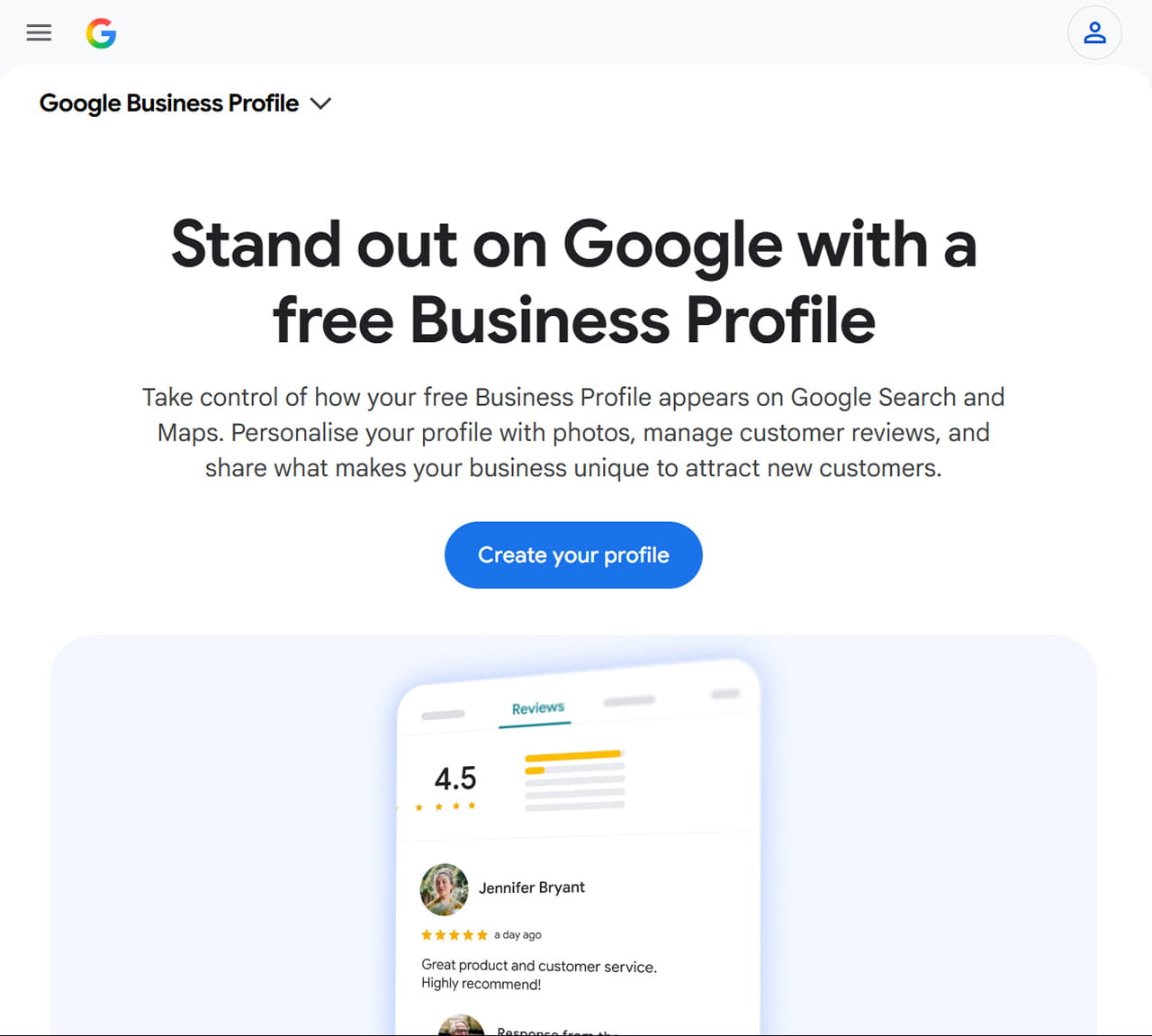
Go to business.google.com and sign in with a Google account dedicated to the business, not a personal one shared with other purposes. Search for your business name — if a listing already exists (often auto-generated from other data sources), claim it rather than creating a duplicate, since duplicate listings actively hurt local visibility. If nothing exists yet, start a new profile from scratch.
Step 2: Classify Your Business Type Correctly
This is now the first real decision point in the flow, and it matters more than it looks. You’ll be asked to describe how your business operates — as a storefront customers visit, a service-area business that travels to customers, or an online-only operation. Choosing “online-only” when your business actually operates from or serves a physical location is one of the most common causes of verification problems and later suspensions, since it signals something inconsistent with how the business actually functions. Pick the option that most precisely matches reality, not the one that sounds simplest.
Step 3: Select the Correct Primary Category
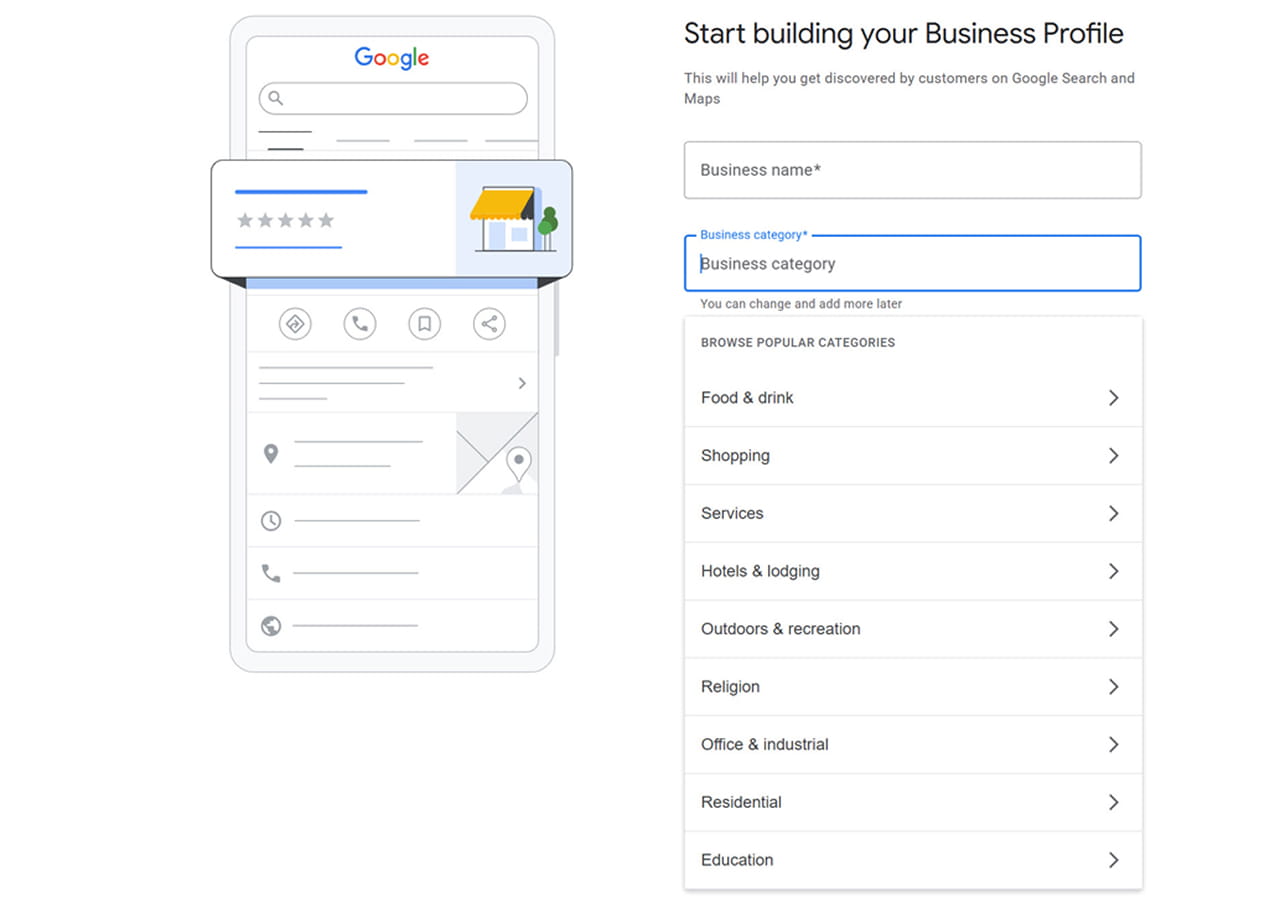
Primary category has become one of the single biggest levers in local ranking. A narrow, precise category consistently outperforms a broad one — a personal injury law firm choosing “Personal Injury Attorney” instead of the generic “Law Firm” is a meaningfully different signal to Google’s local ranking systems. Add secondary categories only where they’re genuinely accurate; padding categories to capture more searches tends to dilute relevance rather than expand it.
Step 4: Complete Your Profile Details
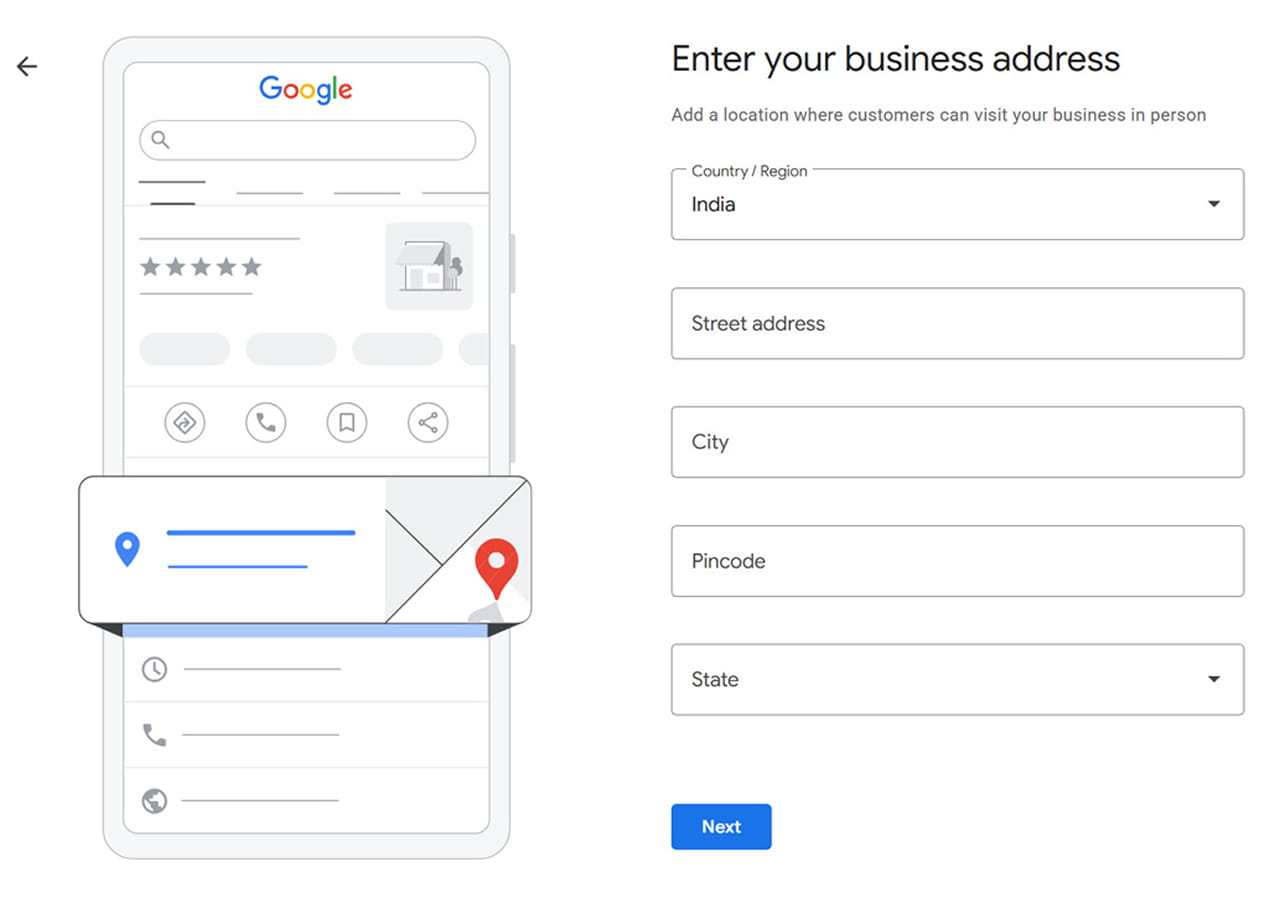
Fill in your business name and address exactly as they appear on your website — inconsistency between your site and your GBP listing is a well-documented drag on local rankings. Add your hours, service areas if applicable, relevant attributes, and a clear business description. Upload photos now, and plan to add more regularly: with the tightened 30-day freshness window, a profile that hasn’t been touched in over a month is treated as less active than one updated recently, regardless of how complete it was at setup.
Step 5: Verify Your Business
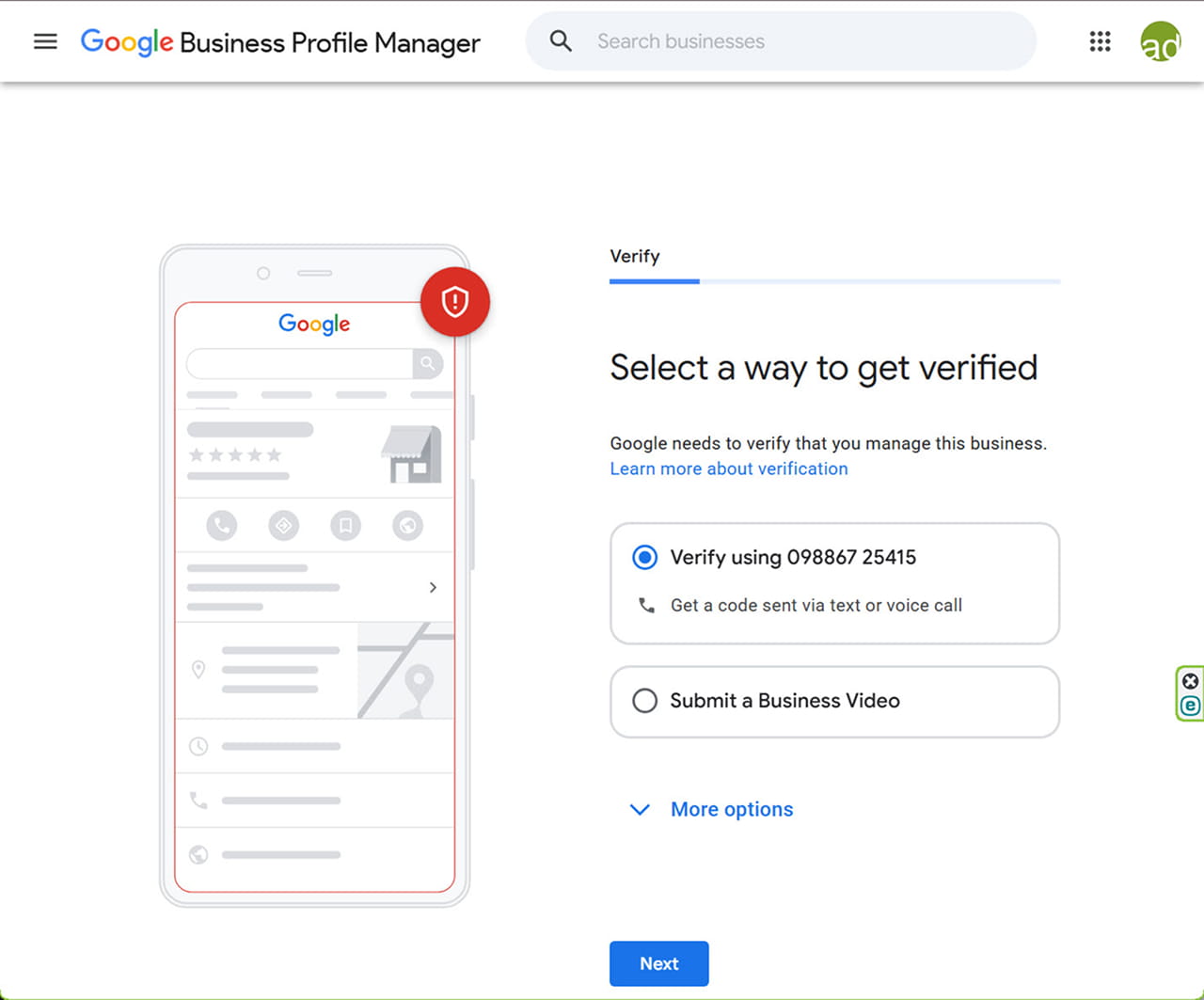
This is where the process has changed the most. Video is now the default verification method for most new listings — Google determines this for you based on your business type, location, and how much public information already exists about the business; in most cases you no longer get to choose your method the way older guides describe.
If you’re assigned video verification, plan for a single, continuous, unedited take that clearly shows your signage, your interior or work area, and a live action that demonstrates active management — checking a booking system, showing tools of the trade, or similar. Gather this proof before you start recording: signage, branded vehicles, workspace access, whatever supports that this business genuinely operates where you say it does. Phone, text, WhatsApp, and email verification are still available for some businesses, and postcard verification hasn’t fully disappeared, but video is now the path most new profiles should expect.
Step 6: Set Up Reviews the Compliant Way
Ask every customer for a review through the same process — no filtering by who’s likely to leave a positive one, which is now an explicit policy violation, not just a bad practice. When responding to reviews, keep it professional and specific to the customer’s actual feedback; promotional language, discount codes, links, or keyword-stuffed responses are now flagged as manipulation. If your profile is verified, you’ll also start receiving email alerts before significant suggested edits to your listing — name, address, hours, category — go live, giving you a chance to approve or reject them before they take effect.
Step 7: Post Regularly, With the Right Expectations
Posts, Events, and Offers still matter, but not for the reason many businesses assume — they lift click-through and engagement inside the local panel rather than directly moving your position in the map pack. Treat regular posting as a way to keep the profile active and give potential customers a reason to click through, not as a ranking hack on its own.
Protect Your Listing From Pin-Spoofing
A newer scam is worth watching for specifically: bad actors can use the “Suggest an edit” option on a competitor’s GBP card to relocate their map pin, quietly tanking that business’s local visibility. If your listing’s location ever looks wrong, sign into Google Maps with an account that isn’t connected to your GBP management to fix the pin — logging in with your management account to make the correction can itself trigger a suspension review, so keep those two logins separate as a standing practice.
Common Mistakes in the New 2026 Flow
A few mistakes are showing up repeatedly as businesses adjust to the new process: selecting “online-only” for a business that actually has a physical or service presence, expecting postcard verification and being caught off guard by a video request, continuing to point customers toward a Chat button that no longer works, and gating reviews in a way that now violates policy outright. Each of these is a direct result of following outdated instructions rather than the current flow.
Final Thoughts
Google Business Profile in 2026 rewards precision and activity more than it used to — the right category, an accurate business classification, a properly completed video verification, and a profile that’s genuinely kept fresh all carry more weight than they did even a year ago. The businesses caught off guard by these changes are almost always the ones working from an old checklist rather than the current flow.
If you’d like help getting your listing set up correctly under the new process, Adroitte’s digital marketing services team can handle your Google Business Profile setup and ongoing local SEO from here.
Ready to Strengthen Your Local Visibility on Google?
A well-optimised Google Business Profile can help your business appear more prominently in local searches, build customer trust, and generate more opportunities from nearby customers.
Reach out through our contact form and we’ll get back to you promptly. Let’s optimise your Google Business Profile and build a local SEO strategy that improves your visibility, engagement, and long-term presence in local search.


 +91 8277203000
